



WallBrand
A wallpaper branding tool with GUI and CLI modes
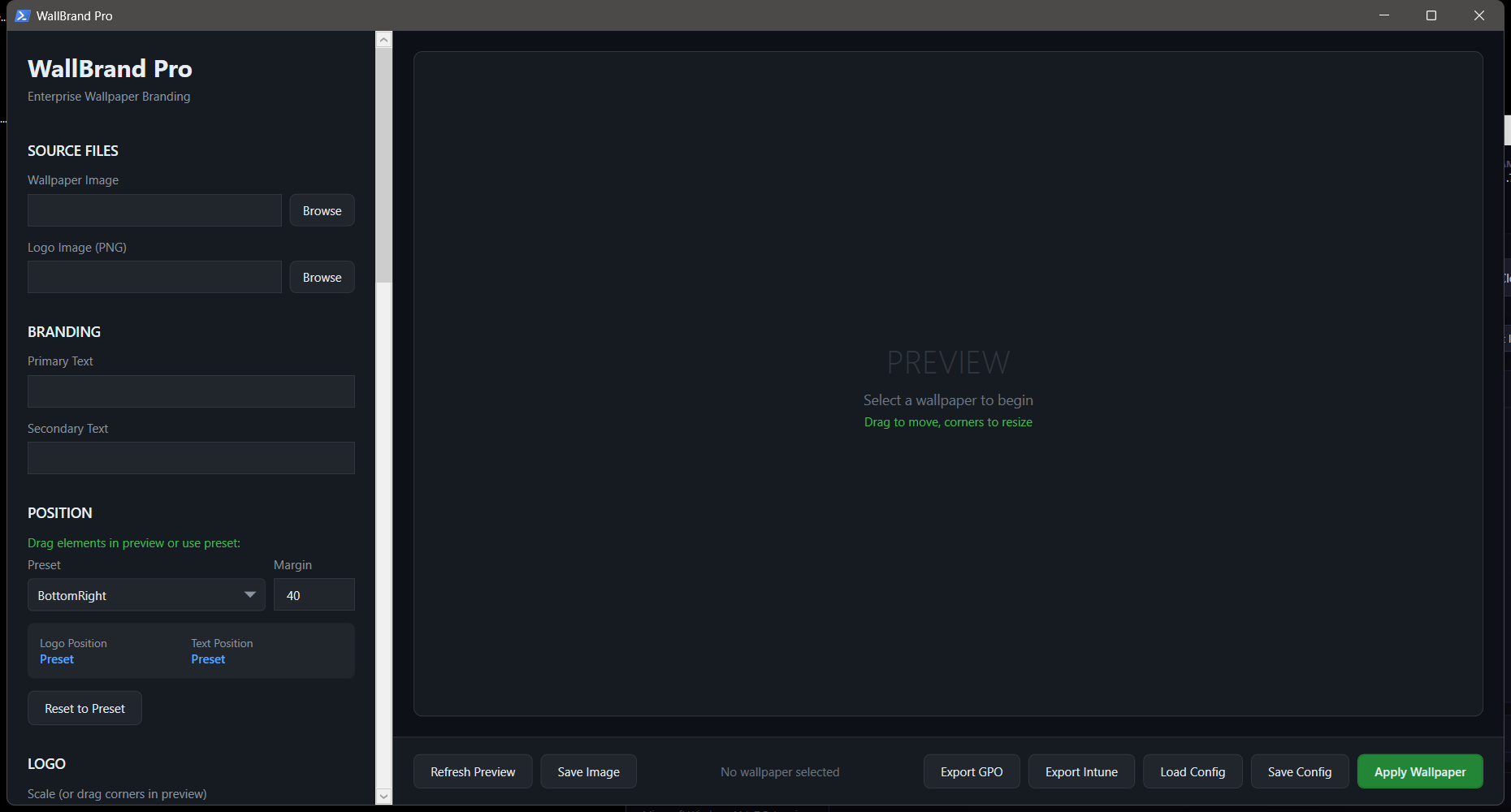



A wallpaper branding tool with GUI and CLI modes. Add logos, watermarks, and text overlays to wallpapers for corporate branding, digital signage, or personal customization.
Features
- GUI Mode — Visual interface for interactive wallpaper branding with live preview
- CLI Mode — Batch process wallpapers from the command line
- Logo Placement — Position logos with configurable size, opacity, and corner placement
- Text Overlays — Add custom text with font, color, and position controls
- Batch Processing — Brand multiple wallpapers at once
- Dark Theme — Professional WPF dark-themed interface
Usage
GUI Mode
.\WallBrandPro.ps1CLI Mode
.\WallBrandPro.ps1 -CLI -InputPath "C:\Wallpapers" -LogoPath "C:\logo.png"Requirements
- Windows 10/11
- PowerShell 5.1+
License
MIT License