Text Filter Editor
  
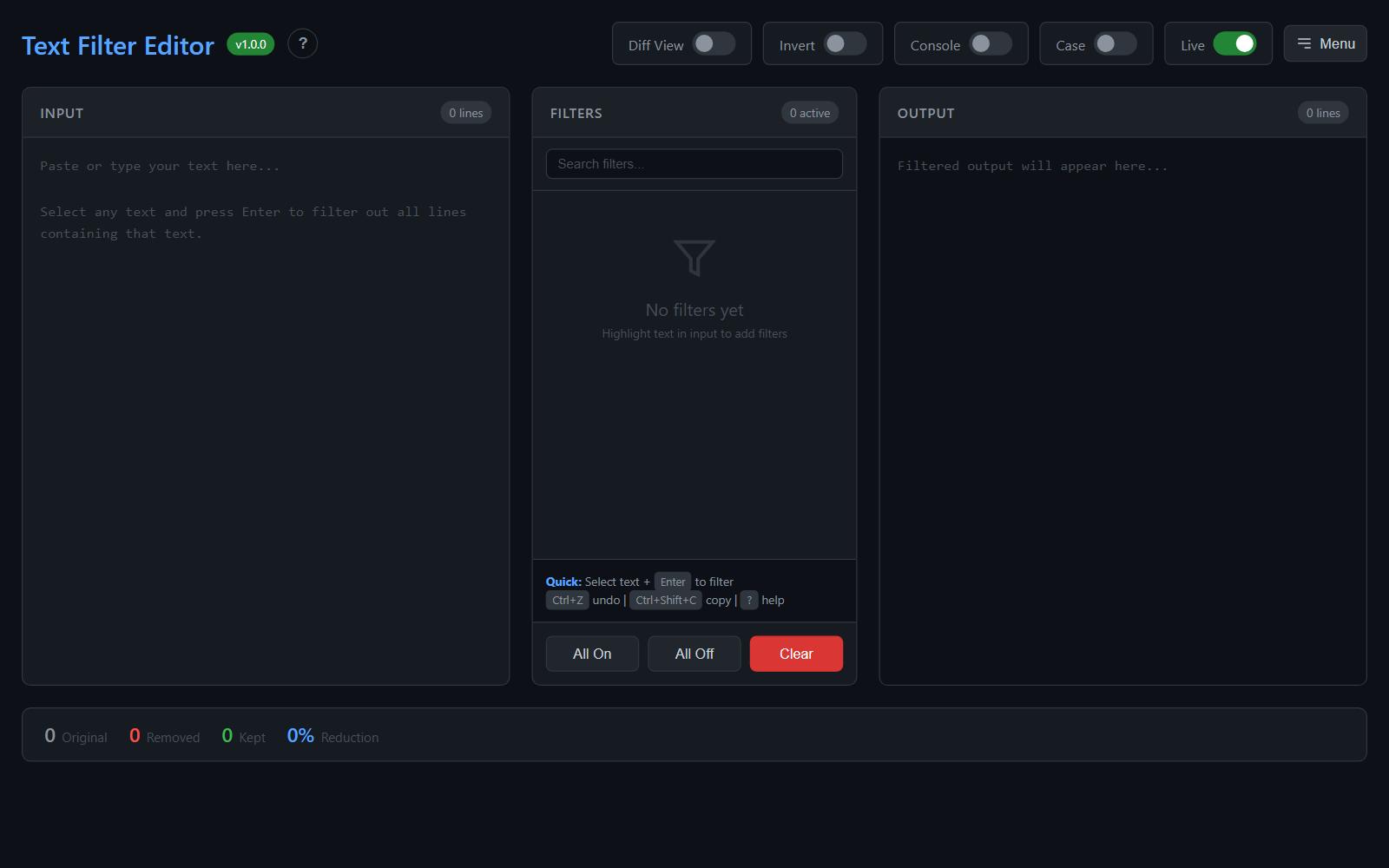
A powerful, browser-based text filtering tool. Highlight text to instantly remove all matching lines. Perfect for cleaning console logs, debugging userscripts, and filtering large text files.

Features
Core Functionality
- Highlight-to-Filter: Select any text and press
Enterto create a filter that removes all matching lines - Instant Feedback: Input updates immediately so you can iteratively filter until only relevant lines remain
- Restore Original: One click to restore your original input and start over
- Regex Support: Toggle regex mode per filter for advanced pattern matching
Console Mode
35+ built-in presets organized by category to quickly filter noise from browser console output:
- YouTube: base.js, kevlar, polymer, iron/paper elements
- React/Framework: fiber, reconciliation, hydration, scheduler, zone.js
- Animation/Timing: requestAnimationFrame, web-animations, setTimeout/setInterval
- Observers: MutationObserver, ResizeObserver, IntersectionObserver
- Bundlers: webpack, chunks, vendors, runtime, polyfills
- Generic Noise: anonymous calls, Promise chains, event handlers
- Extensions: chrome-extension://, moz-extension://
Differential View
- Side-by-side comparison of original vs filtered content
- Red highlighting for removed lines with exact match highlighting
- Synchronized scrolling between panels
- Line numbers on both sides
Invert Mode
Toggle to keep only matching lines instead of removing them - useful for extracting specific patterns.
Import/Export
- Save filter sets as JSON
- Share filters with teammates
- Load previously saved filter configurations
Persistence
- All settings auto-saved to browser localStorage
- Filters, toggles, and content persist between sessions
- Collapsed category states remembered
Keyboard Shortcuts
| Shortcut | Action |
|---|---|
Enter |
Add filter from selection |
Ctrl+Z |
Undo last filter |
Ctrl+Shift+C |
Copy output |
Ctrl+Shift+S |
Download output |
Ctrl+Shift+R |
Restore original |
Ctrl+Shift+I |
Toggle invert mode |
Ctrl+Shift+D |
Toggle diff view |
? |
Show shortcuts |
Esc |
Close modal |
Usage
Quick Start
- Open
text-filter-editor.htmlin your browser - Paste your text (e.g., console log output)
- Highlight any text pattern you want to filter out
- Press
Enter- matching lines are removed instantly - Repeat until only relevant content remains
Console Log Cleaning
- Copy console output from browser DevTools
- Paste into the input panel
- Enable Console Mode to activate 35+ noise filters
- Add custom filters for remaining noise
- Copy or download the cleaned output
Using Invert Mode
- Paste your content
- Enable Invert (Keep) toggle
- Add filters for patterns you want to KEEP
- Output shows only lines matching your filters
Demo
Click the 📄 icon in the header to load sample console log data and try out the features.
Installation
No installation required! Just download and open in any modern browser.
# Clone the repository
git clone https://github.com/your-username/text-filter-editor.git

# Open in browser
open text-filter-editor.html
Or use the live demo.
GitHub Pages Deployment
- Go to your repository Settings
- Navigate to Pages
- Select "Deploy from a branch"
- Choose
mainbranch and/ (root)folder - Your site will be live at
https://your-username.github.io/text-filter-editor/
Browser Support
Works in all modern browsers:
- Chrome/Edge (recommended)
- Firefox
- Safari
Contributing
Contributions are welcome! Feel free to:
- Report bugs
- Suggest features
- Submit pull requests
License
MIT License - feel free to use in your own projects.
Acknowledgments
Built for the userscript development community. Special thanks to everyone debugging YouTube userscripts at 2am.