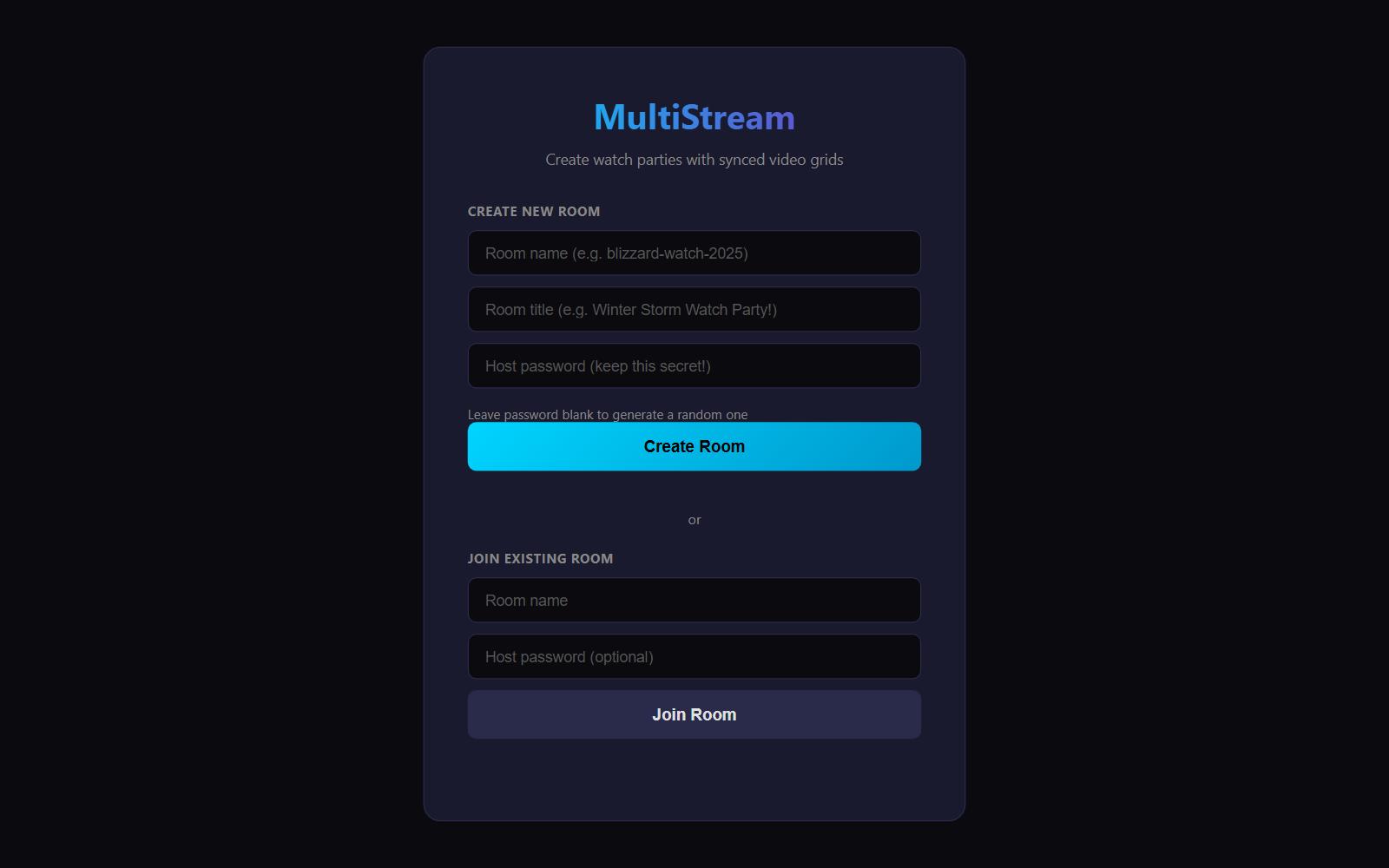




MultiStream
A self-hosted, real-time multi-video streaming viewer with chat, perfect for watch parties, storm tracking, event monitoring, and more.


Create your own room here:
https://sysadmindoc.github.io/Multistreamer/
Features
- Multi-Video Grid - Watch multiple YouTube streams in a responsive Brady Bunch-style grid
- Featured Layout - Highlight one main video with smaller sidebar streams
- Real-Time Sync - All viewers see the same streams, layout, and settings instantly
- Live Chat - Built-in chat room synced across all viewers
- Host Controls - Only hosts can add/remove streams; viewers just watch
- No Backend Required - Uses Gun.js for P2P sync, works on static hosting (GitHub Pages)
- Room Creator - Create unlimited rooms without editing any files
- Customizable - Themes, colors, labels, announcements, and more
Quick Start
Deploy to GitHub Pages
Fork or clone this repository
Enable GitHub Pages
- Go to repository Settings → Pages
- Source: Deploy from a branch
- Branch:
main(ormaster), folder:/ (root) - Save
Access your site
- Your URL will be:
https://yourusername.github.io/repository-name/
- Your URL will be:
Create Your First Room
- Visit your deployed site (no URL parameters)
- Fill in:
- Room name:
my-watch-party(URL-friendly, lowercase) - Room title:
My Awesome Watch Party!(displayed to viewers) - Host password: Your secret key (auto-generated if left blank)
- Room name:
- Click Create Room
- Copy your Host Link (keep private!) and Viewer Link (share publicly!)
Usage
As a Host
Access your room with the host link:
https://yoursite.github.io/?room=my-room&host=yourSecretPasswordControls available:
| Control | Description |
|---|---|
| Add Stream | Paste YouTube URL and click Add |
| Set Main | Make a video the featured/large video |
| Label | Give streams custom names |
| Mute/Unmute All | Control audio for all streams |
| Weather | Add a Windy.com radar panel |
| Settings | Customize theme, colors, layout |
| Share | Get viewer/host links |
| Clear | Remove all streams |
Room Management:
- Click the room title to edit it (syncs to all viewers)
- Set an announcement message in Settings
- Export your config to save/reuse setups
As a Viewer
Access with the viewer link:
https://yoursite.github.io/?room=my-roomViewers can:
- Watch all streams the host has added
- Mute/unmute individual videos locally
- Participate in chat
- See real-time updates when host makes changes
Viewers cannot:
- Add or remove streams
- Change layout or settings
- Edit room title or announcements
URL Parameters
| Parameter | Description | Example |
|---|---|---|
room |
Room identifier (required for viewing) | room=blizzard-2025 |
host |
Host password (enables host controls) | host=mySecretKey |
Examples:
# Room creator (no params)
https://yoursite.github.io/

# Viewer mode
https://yoursite.github.io/?room=storm-watch

# Host mode
https://yoursite.github.io/?room=storm-watch&host=abc123
Features in Detail
Layouts
- Grid - Equal-sized tiles, auto-arranges based on stream count
- Featured - One large main video + sidebar with remaining streams
Synced Settings
All these sync in real-time to viewers:
- Room title & announcement
- Streams (add/remove/order)
- Mute states
- Layout mode & featured video
- Custom stream labels
- Theme & accent color
- Grid gap & label visibility
- Weather panel & location
Chat
- Usernames saved locally
- Messages sync in real-time
- Host messages highlighted with badge
- 2-hour message history
- Collapsible bottom bar (doesn't cover videos)
Weather Panel
- Powered by Windy.com embeds
- Shows radar/precipitation overlay
- Configurable lat/lon coordinates
- Great for storm tracking!
Themes
- Dark - Default dark theme
- Midnight - Deep blue tones
- AMOLED - Pure black for OLED screens
Import/Export
Save your room configuration as JSON:
{
  "version": 3,
  "room": "my-room",
  "streams": [
    { "id": "dQw4w9WgXcQ", "muted": true, "label": "Main Camera" },
    { "id": "abc123xyz", "muted": true, "label": "Backup" }
  ],
  "settings": {
    "layout": "featured",
    "featuredId": "dQw4w9WgXcQ",
    "weather": { "enabled": true, "lat": 40.7128, "lon": -74.006 },
    "display": { "gridGap": 2, "labels": "hover", "theme": "dark", "accent": "#00d4ff" }
  }
}
Import configs to quickly set up similar events.
Technical Details
How It Works
MultiStream uses Gun.js for decentralized, real-time data sync:
- No server/database required
- Data syncs via public relay servers
- Works on any static hosting (GitHub Pages, Netlify, etc.)
- Room state persists even when host disconnects
Browser Support
- Chrome/Edge (recommended)
- Firefox
- Safari
- Mobile browsers
Dependencies
Privacy
- No data stored on your server
- Room data stored on Gun.js relay network
- Chat messages expire after 2 hours
- No analytics or tracking
Self-Hosting Gun Relay (Optional)
For better reliability, you can run your own Gun relay:
npm install gun
npx gun
Then update the Gun initialization in the HTML:
const gun = Gun(['https://your-relay-server.com/gun']);Use Cases
- Storm/Weather Tracking - Multiple news streams + radar
- Sports Watch Parties - Multiple game angles or broadcasts
- Security Monitoring - Multiple camera feeds
- Event Coverage - News streams during breaking events
- Gaming - Multiple Twitch/YouTube gaming streams
- Conference Rooms - Display multiple video sources
Contributing
Contributions welcome! Feel free to:
- Report bugs
- Suggest features
- Submit pull requests
License
MIT License - feel free to use, modify, and distribute.
Acknowledgments
- Gun.js for the amazing decentralized sync
- Windy.com for embeddable weather maps
- Inspired by the need to watch multiple blizzard streams at once!
Made for storm chasers, sports fans, and anyone who needs to watch ALL the streams.