



Notepad++ Supply Chain IOC Scanner



Comprehensive IOC scanner for the Notepad++ supply chain compromise (June-December 2025) attributed to the Chinese APT group Lotus Blossom (aka Billbug, Raspberry Typhoon, Spring Dragon).
The attack hijacked the WinGUp update mechanism via hosting provider compromise to deliver the Chrysalis backdoor, Cobalt Strike beacons, and Metasploit payloads to targeted organizations.
Quick Start
One-line run (Run as Administrator in PowerShell):
irm https://raw.githubusercontent.com/SysAdminDoc/npp-sc-scanner/refs/heads/main/NppScanner-GUI.ps1 | iexScripts
| Script | Description |
|---|---|
Check-NotepadPlusPlusIOC.ps1 |
CLI scanner - Ideal for RMM deployment (ConnectWise, Datto, NinjaRMM, etc.) |
Check-NotepadPlusPlusIOC-GUI.ps1 |
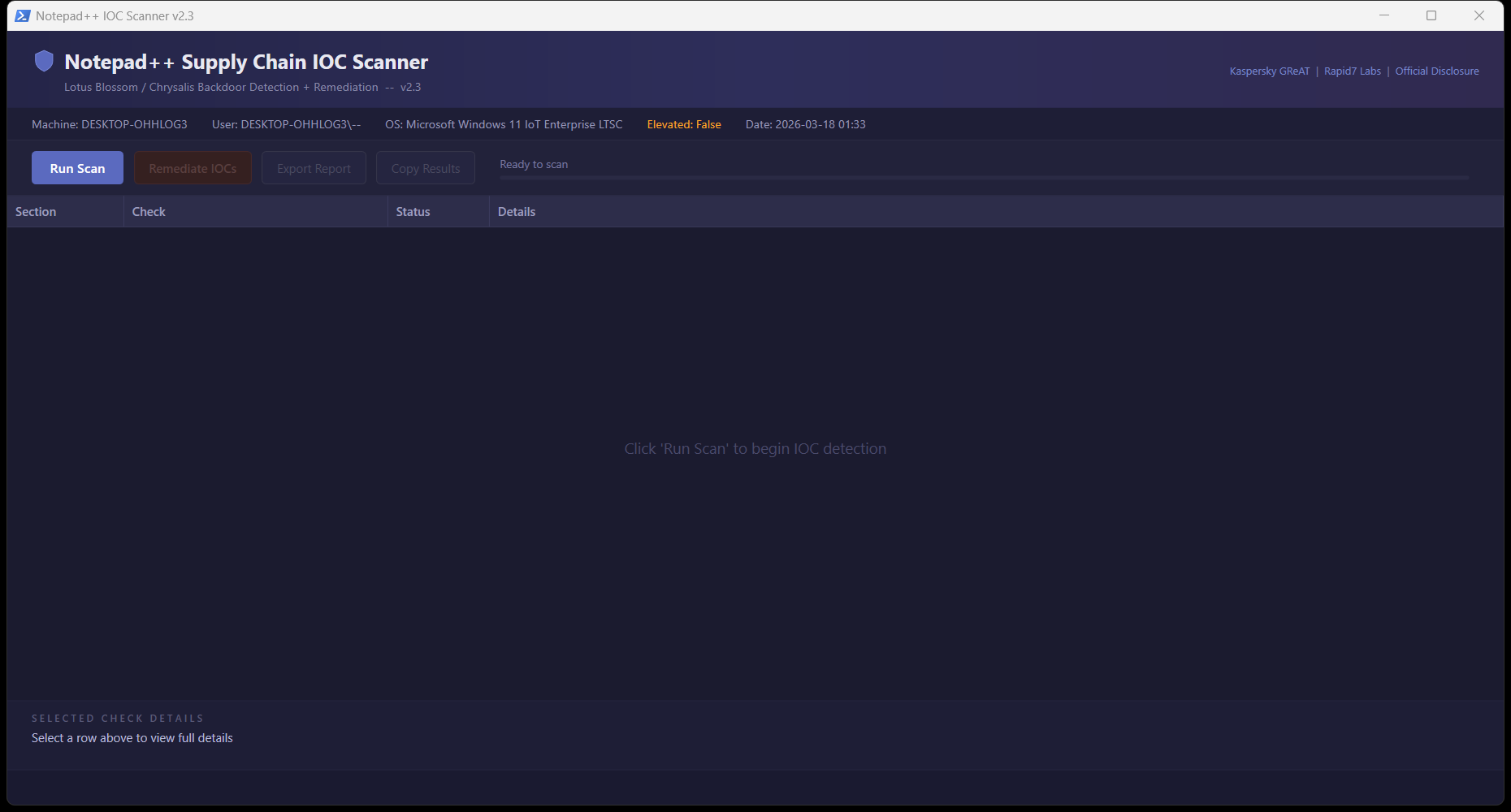
GUI scanner + remediator - Interactive WPF interface for technicians |
Features
Detection Coverage
- Notepad++ version analysis - Pre-8.8.9 = vulnerable, pre-8.9.1 = partially patched
- Malware staging directories -
%APPDATA%\ProShow,%APPDATA%\Bluetooth - Hidden attribute detection - Chrysalis NSIS installer sets Hidden on Bluetooth directory
- 41 file hashes - 25 SHA-1 (Kaspersky) + 16 SHA-256 (Rapid7)
- 8 C2 IP addresses - Malicious update hosts and C2 servers
- 6 C2 domains - Including api.skycloudcenter.com, wiresguard.com
- Cobalt Strike artifacts - In
ProgramData\USOShared - Persistence mechanisms - Registry Run keys (incl. WOW6432Node), services, scheduled tasks
- Running processes - BluetoothService, ProShow, ConsoleApplication2, fake svchost
- Network connections - Active C2 connections, DNS cache entries
- GUP.exe monitoring - Connections to non-legitimate update sources
- Hosts file tampering - notepad-plus-plus.org redirections
- Chrysalis mutex -
Global\Jdhfv_1.0.1 - AutoUpdate.exe - Not a legitimate Notepad++ file
RMM/MSP Features (CLI)
- SYSTEM account support - Automatically enumerates ALL user profiles when running as NT AUTHORITY\SYSTEM
- Exit codes -
0= clean,1= IOCs found (for RMM alerting) - Export to file -
-ExportPathparameter for compliance documentation - HKU registry access - Checks HKEY_USERS for loaded user hives when running as SYSTEM
GUI Features
- Dark-themed WPF interface - Professional appearance
- Real-time scanning - Progress bar and status updates
- One-click remediation - Kill processes, delete files, clean registry, block C2 IPs
- Export/Copy reports - Text and CSV formats
- Source links - Direct links to Kaspersky, Rapid7, and official disclosure
Usage
CLI (RMM Deployment)
# Basic scan
.\Check-NotepadPlusPlusIOC.ps1

# Export report
.\Check-NotepadPlusPlusIOC.ps1 -ExportPath "C:\Reports\npp-scan.txt"

# RMM integration with exit code check
.\Check-NotepadPlusPlusIOC.ps1 -ExportPath "C:\Logs\npp-scan.txt"
if ($LASTEXITCODE -eq 1) {
    # Alert: IOCs detected
}
GUI
.\Check-NotepadPlusPlusIOC-GUI.ps1Or right-click > "Run with PowerShell"
RMM Deployment Notes
When deploying via RMM tools (ConnectWise Automate, Datto RMM, NinjaRMM, etc.), the script runs as NT AUTHORITY\SYSTEM. Version 2.3+ automatically handles this by:
- Detecting SYSTEM execution context
- Enumerating all user profiles via
HKLM:\SOFTWARE\Microsoft\Windows NT\CurrentVersion\ProfileList - Checking each user's
%APPDATA%and%LOCALAPPDATA%paths - Accessing user registry hives via
HKU:\{SID}\...instead ofHKCU:
Previous versions (pre-2.3) would miss user-profile IOCs when running as SYSTEM.
False Positive Notes
C:\ProgramData\USOShared
This is a legitimate Windows Update directory (Update Session Orchestrator). The scanner only flags this directory if it contains specific malicious artifacts (svchost.exe, conf.c, libtcc.dll), not for mere existence.
temp.sh in DNS cache
temp.sh is a legitimate anonymous file-sharing service that was used for data exfiltration in this campaign. DNS cache hits for temp.sh on developer workstations may be false positives. Investigate context before taking action.
%APPDATA%\Adobe\Scripts
May be a legitimate Adobe directory. Only flagged if it contains alien.ini malware configuration.
Remediation (GUI Only)
The GUI provides automated remediation that:
- Kills malicious processes - BluetoothService, ProShow, ConsoleApplication2, fake svchost
- Removes malware directories -
%APPDATA%\ProShow,%APPDATA%\Bluetooth - Deletes specific malware files - Including files in legitimate directories
- Cleans registry persistence - Run keys including WOW6432Node
- Removes BluetoothService service - If present
- Unregisters malicious scheduled tasks
- Creates firewall rule - Blocks outbound to all known C2 IPs (requires elevation)
Important: Export the report BEFORE remediating to preserve forensic evidence.
Post-Remediation Steps
- Update Notepad++ to v8.9.1+ via manual download from GitHub releases
- Block
gup.exeinternet access via firewall or route updates through internal repository - Rotate credentials on affected machines
- Check other machines with Notepad++ installed
- Review logs for lateral movement indicators
- Engage incident response team if confirmed compromise
Sources
- Kaspersky GReAT: Notepad++ Supply Chain Attack Analysis
- Rapid7 Labs: Chrysalis Backdoor Deep Dive
- Notepad++ Official: Hijacked Incident Info Update
Requirements
- PowerShell 5.1+ (included in Windows 10/11, Server 2016+)
- Windows 10/11 or Windows Server 2016+
- GUI requires WPF (.NET Framework, included in Windows)
- Administrator/elevation recommended for full detection capabilities
Version History
| Version | Date | Changes |
|---|---|---|
| 2.3 | 2026-02-04 | SYSTEM account profile enumeration for RMM deployment; WOW6432Node registry coverage; Hidden attribute detection; Exit codes; temp.sh FP note; Bug fixes |
| 2.2 | 2026-02-04 | USOShared false positive fix; Adobe\Scripts smart detection |
| 2.1 | 2026-02-03 | Hidden Bluetooth directory detection |
| 2.0 | 2026-02-02 | GUI remediator; comprehensive IOC coverage |
| 1.0 | 2026-02-01 | Initial release |